Tip: How to make your Touch Pro/Fuze D-pad work a lot better
 1 min. read
 Published on
Share this article


Improve this guide

Read our disclosure page to find out how can you help MSPoweruser sustain the editorial team Read more
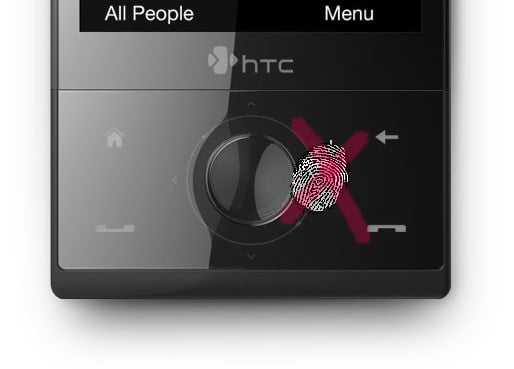
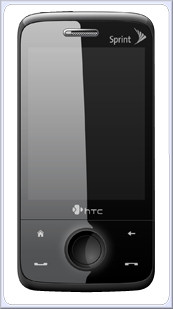 Many HTC Touch Pro users have complained about the HTC Touch Pro D-pad. Up and down works fine, but left, and especially right works pretty poorly, with accidental activation of the surrounding keys very common.
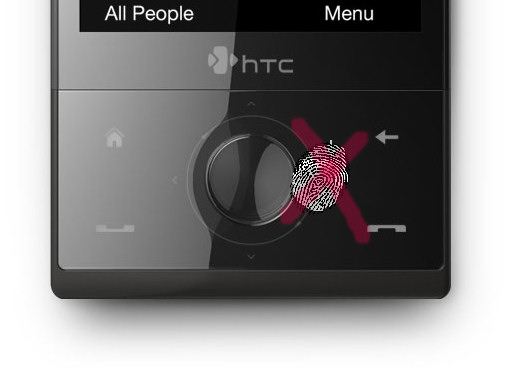
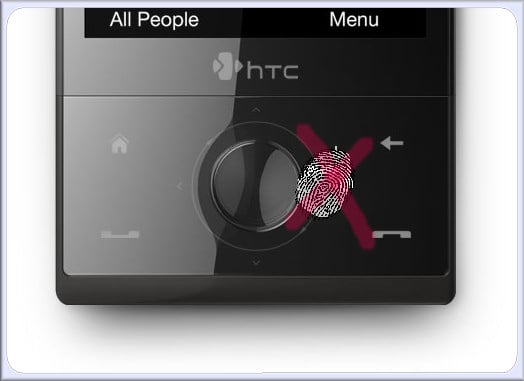
Fortunately it seems there is a better way after all. The fortuitous destruction of a HTC Touch Pro has given us an inside look at the D-pad, and one sharp xda-developer named Vexingv suggested that instead of trying to press the rim of the D-pad, it may be better to actually press between the Back and End Call, or Home and Call button.
 Â Â |
 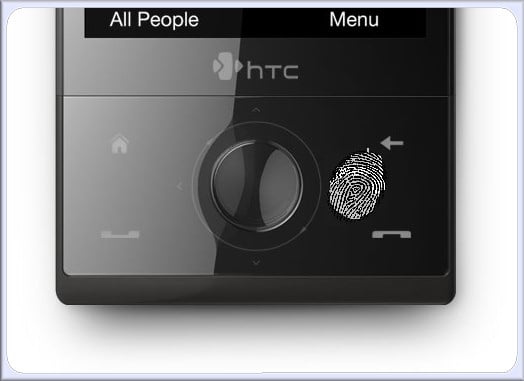 |
| Â Wrong | Â Right |
Amazingly it works much better, as can be seen in the video below. It very soon becomes second nature, and you will very soon wonder what the problem was after all.
Let us know in the comment section if it works for you too.